Search this blog

Posts tonen met het label Mobile. Alle posts tonen

juni 10, 2015

They didn’t need adoption for their mobile device!?


Recently during a workshop on user adoption strategies by Michael Sampson, one of the attendees remarked how user adoption seems to be very different for mobile devices than it is for other technology. He noticed how very badly written (or not written at all) announcements or instructions for anything to do with mobile devise use are still effective. Yet very well thought and positioned materials on the collaboration platform were not doing anything at all.

So why is it that we achieve great user adoption on getting employees to use mobile devices, but not such good user adoption on using their collaboration platform?

As Michael clearly answered there is a big difference in people using their mobile devices, and people using a collaboration platform. A mobile device is something they use personally. Often it is even their private device. Changing the way I work, using my mobile device doesn’t require anybody else to change with me. I can easily start using my mobile device for e-mail, without my colleagues having to use a mobile device. They can continue to use their desktop application. 

A collaboration platform, such as Office 365 or IBM Connections, does require a group of people to change the way they work. There is no way I could start using online co-authoring documents, or sharing travel reports in a community blog without my colleagues using this too! Often it becomes complex to shift to another way of working collectively. There are different needs, governance, security and culture to address. Making the change collectively therefore is much slower, and requires different efforts.

According to B.J. Fogg, as explained in his Behaviour Model, in order to change behavior 3 things need to be present at the same time: motivation, ability and trigger. This is true for an individual of course, but could apply to a group or organization as a whole as well. 

So what does this model mean? In short, in order to achieve a target behavior (your goal, but could be broken down into smaller steps) a person needs to be motivated to do so, and needs to be able to do it. Motivation makes you put in the effort. Ability means you have the time, money or resources to do it.


A person could be highly motivated, yet have low ability, but still reach the target behavior. Or a person could have low motivation but high ability and reach the target behavior. But most importantly we need the 3rd factor: a trigger. A trigger functions as a reminder for us to do the new behaviour. A trigger could be an alarm, seeing someone’s face, or an existing habit. When we combine an existing habit, to be followed by the new habit, that’s when we most easily achieve a change in behaviour.

What happens with mobile device use, is that the motivation to use it is in general very high, as compared to other tools made available to employees. The ability to use them is also often quite high. People use their device for lots of things, also besides work, and devices are becoming easier to use all the time. The trigger is something that is always there with mobile devices. In fact, that is why a lot of people are so hooked to their phones. They are constantly being reminded by apps showing badges, makings sounds or even gamification techniques to keep them going at it.

So why do I think we do not need a lot of adoption strategies for getting people to use – for example – e-mail on their mobile device? Because they are highly motivated to have and work with a mobile device. It allows them to work from home or on-the-go. Mobile phones are becoming so mainstream that in general people know how to operate them, especially since it is the same for personal use as for business use. More and more organizations allow people to bring their own device, or supply one if necessary. They are simply available. Mobile devices are great to trigger people into using them (all the time!) which makes them use it a lot and for more and more situations.
 

mei 17, 2014

Coachmarks: snelle tips voor nieuwe functies IBM Connections app

Sinds 16 mei 2014 is de IBM Connections mobiele app versie 4.7.0. uitgekomen.

Nieuw in versie 4.7.0 van de IBM Connections mobile app is Coachmarks.
Coachmarks, is een nieuwe functie, die voorziet in een context handleiding van nieuwe functies als je voor het eerst inlogt op een account. Coachmarks is een instructionale overlay voor apps. Door coachmarks in te zeten kun je gebruikers wat tips geven over bijvoorbeeld nieuwe functionaliteit, door instructies op het scherm te geven in de daadwerkelijke app. Coachmarks zijn handig. Ze geven de gebruiker net een zetje in de juiste richting. Zie het als een kleine visuele aansporing om nieuwe dingen te ontdekken.


Korte handige tips
Het is algemeen bekend dat gebruikers uitgebreide handleidingen niet lezen. Ze willen gewoon snel aan de slag, zonder eerst de UI te moeten aanleren. Dit is de paradox van de actieve gebruiker: die wil in zo'n kort mogelijk tijdsbestek en met zo min mogelijk inspanning, effectief geavanceerde functionaliteit leren gebruiken. De paradox zit hem in het feit dat juist het leren van en het correct gebruiken van deze geavanceerde functionaliteit de gebruiker nu juist tijd zal besparen!
De kunst van goede coachmarks is dat je niet teveel instructie geeft. Omdat je niet de overlay kunt lezen en tegelijkertijd de app gebruiken, zul je de hint of tip moeten onthouden, om dezelater toe te passen. Het korte-termijn geheugen kan niet heel veel onthouden, en de informatie zal na 20 seconden vervagen. Wanneer je de tips ook alleen geeft daar waar de gebruiker zich op een bepaald moment (voor de eerste keer) bevindt (in de context van het werk), en deze kort houdt, dan zal de coachmark het meest effectief zijn.
Coachmarks zijn dus geen uitgebreide handleiding, waarin je alles gaat uitleggen, maar korte tips die binnen een bepaalde context gegeven worden. Ze zijn daarom uitermate geschikt voor het tonen van 'What's new' informatie van apps.

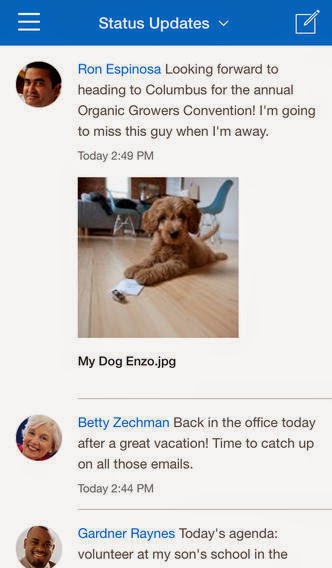
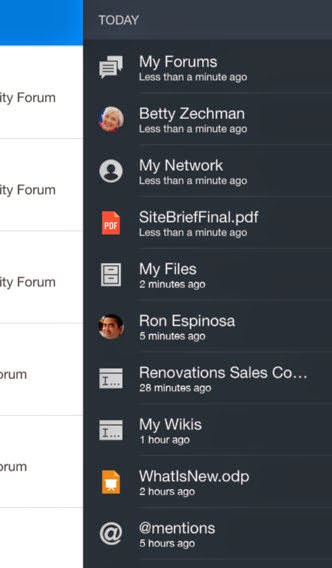
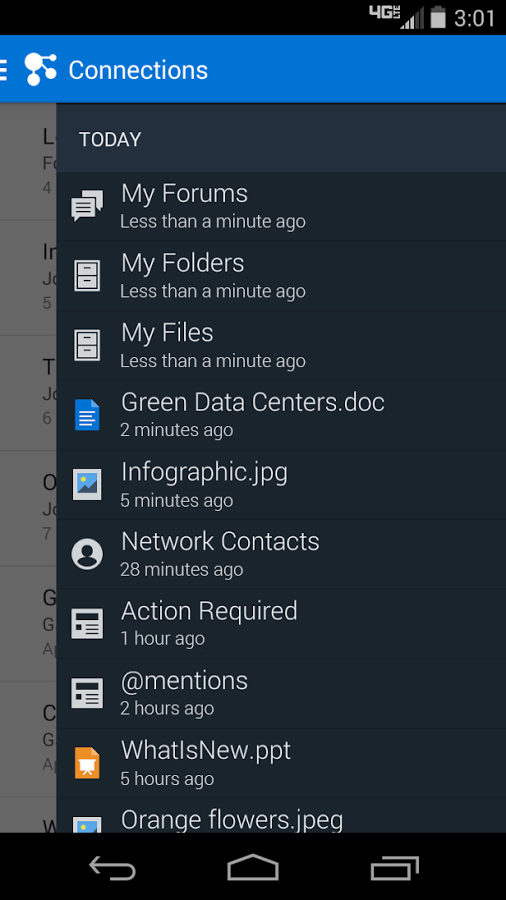
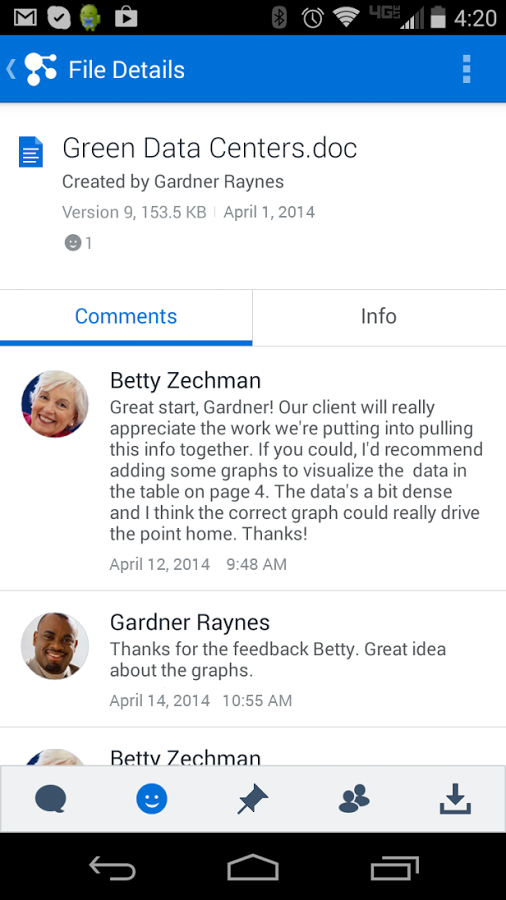
Impressie van Coachmarks voor Connections Mobile app versie 4.7.0:


New IBM Connections app provides glimpse into Connections Next

On may 16 2014 IBM has released a new IBM Connections mobile app for iOS, Android and BlackBerry.

This new version 4.7.0. provides a glimpse into what is coming in Connections Next which will be released for Smartcloud may 21 2014!

Compatibility
iOS: Requires iOS 6.0 or higher. Compatibel with iPhone, iPad and iPod touch. This app is optimised for iPhone 5.
Android: Requires Android 2.3.3 and higher.

Version 4.7.0 for iPhone and iPad
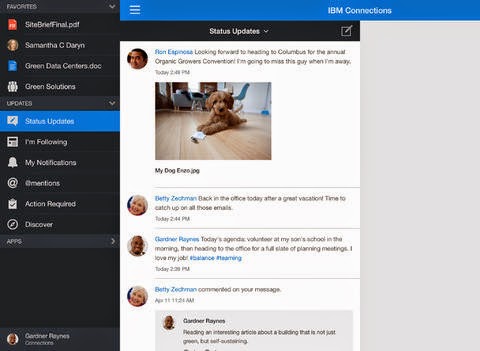
  • New iOS 7 Look and Feel
  • Coachmarks, are a new feature, which will provide in context tutorial of new features when you first login to an account.
  • New navigation model to provide easy and customizable access to your content:
    • The new History view allows you to easily see where you have been in the app.
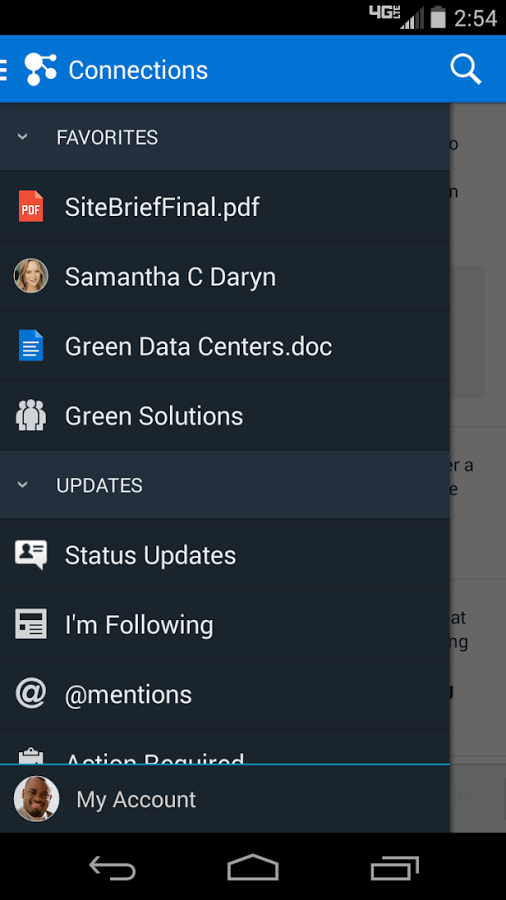
    • Quickly access content that you use the most by adding it as a favorite
    • Reorder your Connections apps in the navigation to best meet your needs
  • Search and filter activity stream items
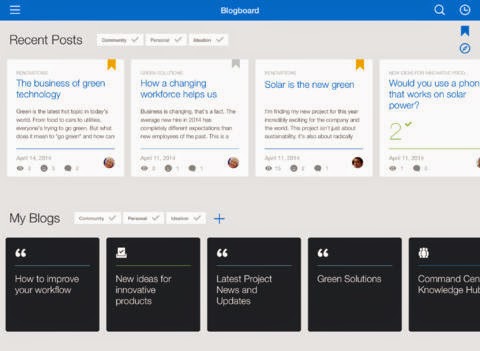
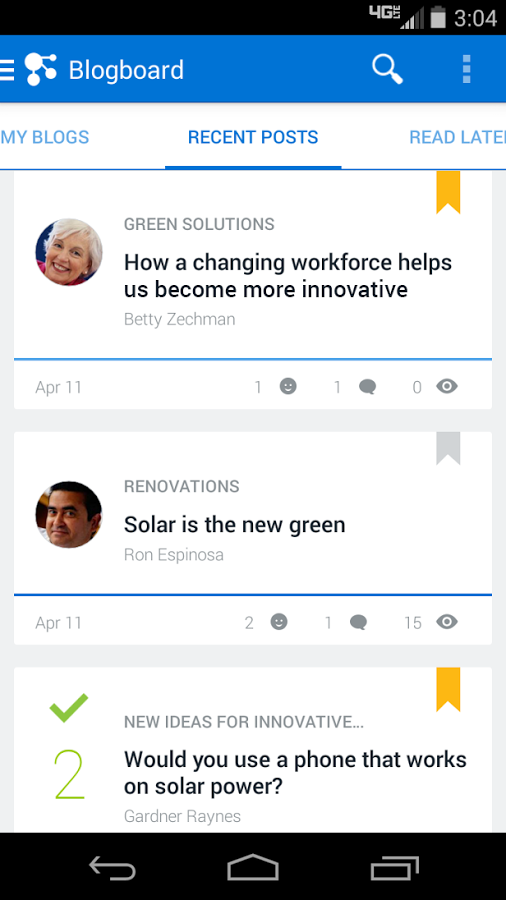
  • New Blogs look and layout!
    • Easily access and navigate your blogs in the new Blogboard
    • Want to read a blog entry but don't have time now? Mark it to read later.
    • Use the time line to easily scan through the entries in a blog
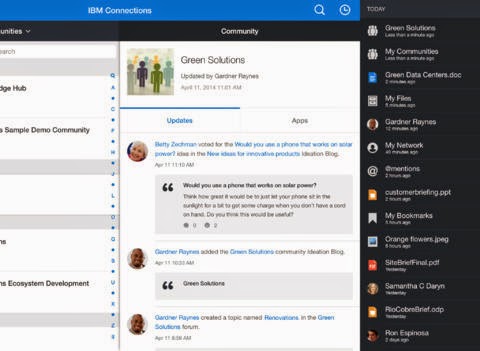
  • When you access a Community, see what's been happening. The updates view is now the default view shown.
  • Access events in a Community and set an alarm on the device for an event.
  • Copy a link to content so you can share it with others.

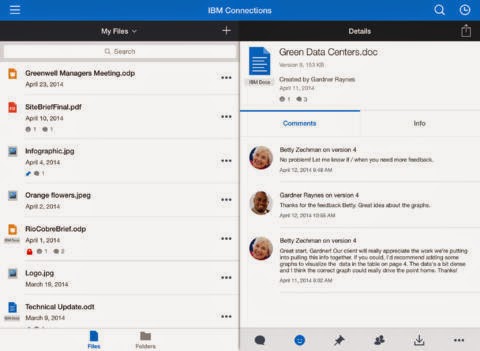
Here are some inpressions of the new Connections app for iPad:


Here are some inpressions of the new app for iPhone: 


NB! Note to our customers running iOS6: In a future update we will be requiring iOS 6.1 as the minimum iOS level to install new updates.

Version 4.7.0 for Android
  • New Look & Feel
  • New navigation for easy and customizable access to your content:
    • New History view to easily see where you have been
    • Access content you use most by adding it as a favorite
    • Reorder your apps in the navigation
    • Copy a link to content to share with others
  • Search & filter activity stream items
  • New Blogs look!
    • Access your blogs in the new Blogboard
    • Mark blog entries to save and read later
  • Multi-window support
  • Note: In a future update we will only support Android 4.0+

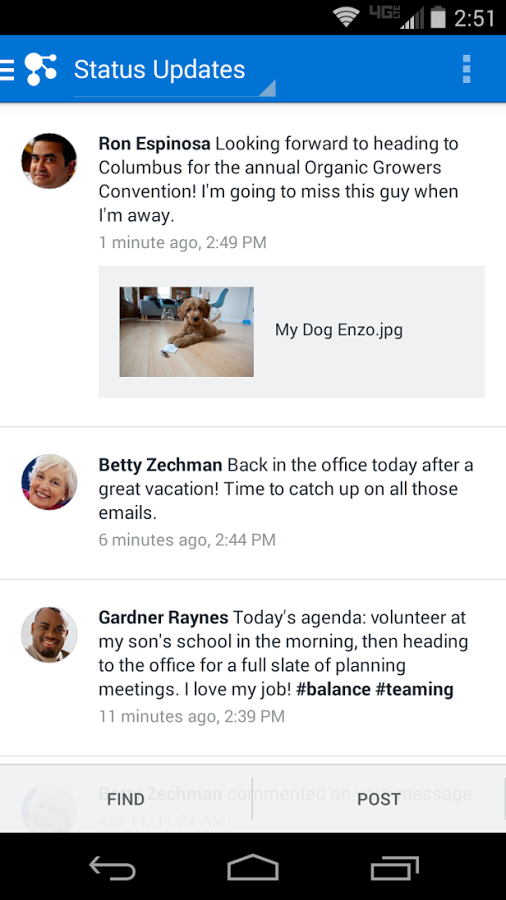
Here are some impressions of the new Connections app on Android phones:


augustus 17, 2012

New Connections Mobile apps

As of this morning I saw the Connections mobile app being updated on my iPad (but also available for iPhone and Android), offering some really nice enhancements:
One of the main new features ofcourse is access to Smartcloud, even allowing for offline access to your files. Just as with Greenhouse the account is already preset, so it's easy to get connected to your Smartcloud account.
I also like how you van save Profile information to your Contacts or sharing it through email or sms.
And then there are some enhancements that users really neeeded to work and collaborate effectively, such as accepting network invitations and sharing files and folders with colleagues.
What I recommend as a future enhancement is how the editors work. When writing a Blog post, there are still no formatting features, just plain text. And after posting, the breaks (enter) are all gone. I would also like to see a better interface for adding a comment. The box to type in is simply too small.
Right now I am waiting in anticipation for the next release which will support Connections 4.